Skip Navigation Download Acrobat Reader 5.0 or higher to view PDF files.
FDIC-Insured - Backed by the full faith and credit of the U.S. Government

Personal Online Banking

Bank on your time.

Online banking is one of the easiest and most convenient ways to do your banking. It’s safe, secure and ready to use whenever and wherever you need it, anywhere you have Internet access.
Online Banking makes it easy to:

  • Conveniently transfer funds between accounts
  • Stay on top of your accounts by viewing current transactions, seeing actual images of checks and deposit slips
  • Access bank statements from up to 12 months ago
  • Download account information to most financial management software, word processing document or even a spreadsheet
  • Easily and conveniently make loan payments
  • Set up email/text alerts
  • Order checks and much more
  • Frequently asked questions
If you pay bills, Bill Pay can save you time by eliminating bill preparation, check writing and even trips to the post office to mail your payments. You can pay bills quickly and easily using your PC or mobile device—without stamps or envelopes. Even better, funds for payments stay in your account until the payment clears the bank.

Features: 

  • Track your payment history and account balances
  • Get alerts when bills are due via text, email, or both
  • Set up and manage recurring payments
  • Make person-to-person and bank-to-bank payments
  • Pay individuals electronically by simply sending them an email and/or text message
  • Frequently asked questions
Enjoy maximum banking convenience anytime, anywhere with the power and versatility of our Mobile Banking apps. It’s easy to download our free app for Android or iPhone and get started right away. 
 
  • Check balances and transactions
  • Pay bills
  • Make transfers between accounts
  • Receive alerts
  • Make loan payments
  • View statements
  • Make check deposits
  • Manage your debit card
  • Frequently asked questions
In order to sign up in for Mobile Banking you will need to be enrolled in Online Banking. Once enrolled download the appropriate app and log in with your Online Banking credentials.
 
Make the switch to eStatements. It's easy, safe, and more secure.
 
  • Faster Delivery - You have access to your statements online as soon as they are available, not when the postal worker delivers them.
  • Digital Statement History - You'll have access to your statements online for up to 18 months. Your eStatements are in PDF format, so you can easily save or print them.
  • Flexibility - Have some accounts you still want your accountant to receive? With eStatements you have the ability to pick and choose which accounts and who receives them.
  • Lower Risk of ID Theft - Reduce the risk with no more paper statements sitting in your mailbox. Online eStatements are protected and encrypted on your online banking platform.
 
To receive eStatements, you must be enrolled in Online Banking.
 
 
Follow the steps below to start receiving your statements and notices digitally.
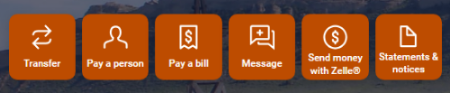
  1. Sign in to your Online Banking and select "Statements & notices" from the main dashboard.online-banking-dashboard-icons
  2. Click on the Settings (settings-wheel-icon) icon in the top right corner.
  3. Select the Edit (pencil-edit-icon) icon next to the account you want to update.
  4. Choose your delivery method. Digital (eStatement).
  5. Confirm your email address is correct.
  6. Click Save Preferences.
 
Once your eStatement is ready, we'll send you an email notification. Simply log in to Online Banking, select your account, and choose "Statements & notices" to view, download, or save your statements anytime. You will have access up to 18 months of eStatements from the date you enroll.